
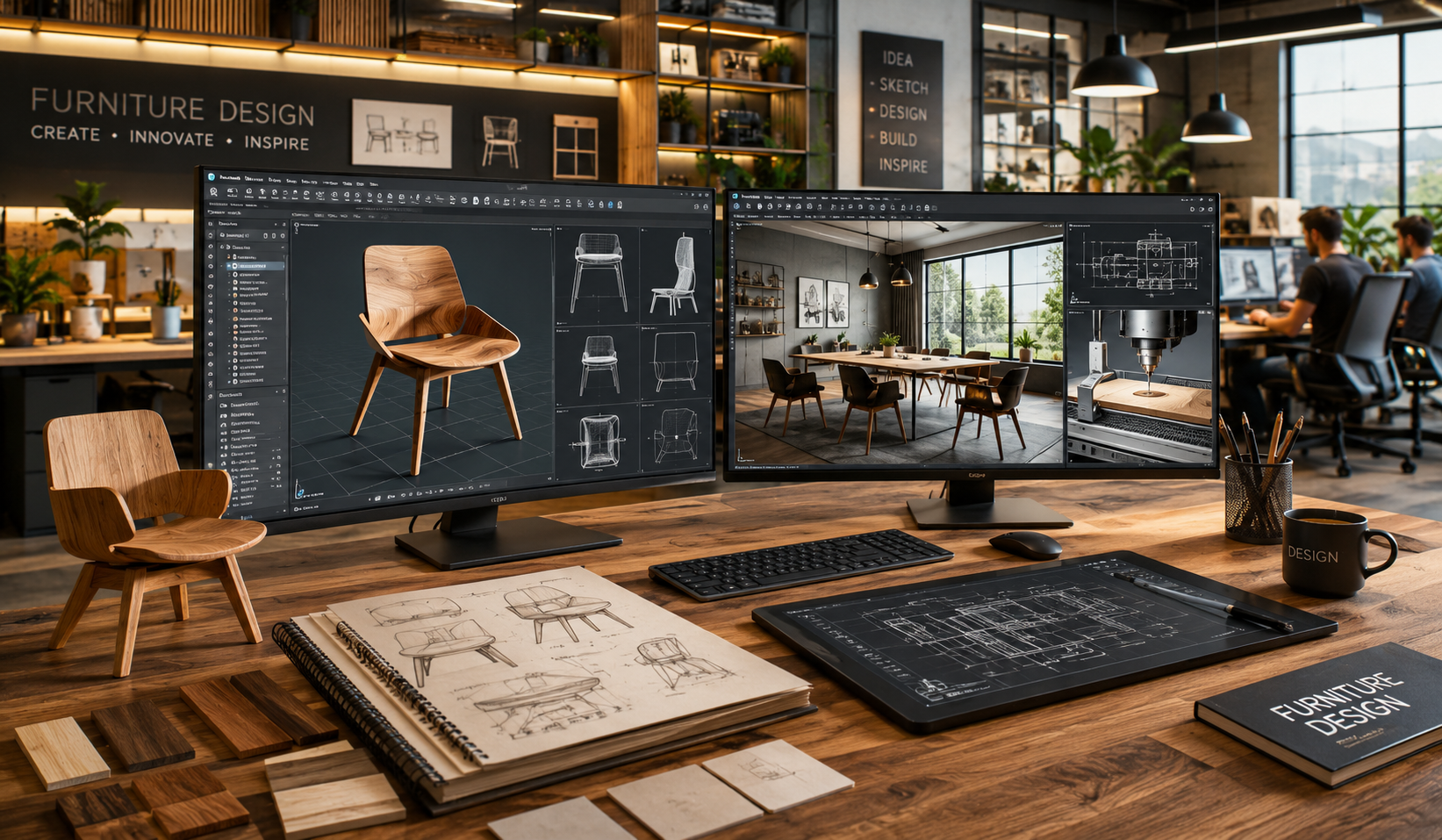
Furniture design has changed dramatically with the rise of digital tools. Today, designers, carpenters, architects, and DIY enthusiasts use furniture design software to create accurate designs, realistic 3D models, and production-ready plans.
Whether you want to design a custom chair, build kitchen cabinets, or create an entire room layout, the right software can save time, reduce mistakes, and improve creativity.
In this guide, you will learn:
- What furniture design software is
- Why it is important
- Features to look for
- Best tools available
- Furniture design software for Mac users
- 3D furniture design software options
- Step-by-step process for designing furniture
- FAQs and comparison tables
What Is Furniture Design Software?
Furniture design software is a digital tool used to create, edit, and visualize furniture projects. These programs help users build designs in 2D or 3D before starting physical production.
The software is commonly used by:
- Furniture designers
- Interior designers
- Woodworkers
- Manufacturers
- DIY hobbyists
- Architects
Most modern tools include features like:
- 3D modeling
- Material selection
- Measurements and dimensions
- Rendering
- Cost estimation
- CNC compatibility
Why Use Furniture Design Software?
Using digital design tools offers many advantages compared to manual sketching.
Main Benefits
Better Visualization
You can see realistic furniture models before production begins.
Fewer Mistakes
Precise measurements reduce material waste and production errors.
Faster Workflow
Editing digital models is quicker than redrawing by hand.
Professional Presentations
3D renders help impress clients and customers.
Easy Customization
You can quickly change colors, dimensions, and materials.
Key Features to Look For
Not all software programs offer the same features. Before choosing one, consider your needs and experience level.
| Feature | Why It Matters |
|---|---|
| 3D Modeling | Helps visualize furniture designs |
| Drag-and-Drop Tools | Makes designing easier for beginners |
| Rendering | Creates realistic images |
| Material Library | Allows texture and color selection |
| CNC Support | Important for manufacturing |
| Cloud Storage | Access projects from anywhere |
| Export Options | Share files with clients or machines |
| Mac Compatibility | Necessary for Apple users |
Best Furniture Design Software
Here are some of the most popular tools used in the furniture industry.
1. SketchUp
SketchUp is one of the easiest tools for furniture and interior design.
Best For
- Beginners
- Interior designers
- DIY furniture projects
Features
- Simple interface
- 3D warehouse with ready-made models
- Fast learning curve
- Plugin support
Pros
- Easy to learn
- Great for conceptual design
- Large online community
Cons
- Advanced features require paid plans
2. Fusion 360
Fusion 360 is a powerful solution for professional furniture and product design.
Best For
- Engineers
- Professional furniture makers
- CNC workflows
Features
- Parametric modeling
- Simulation tools
- CNC integration
- Cloud collaboration
Pros
- Excellent precision
- Strong manufacturing tools
- Great for technical designs
Cons
- Learning curve for beginners
3. AutoCAD
AutoCAD is widely used for technical drafting and furniture plans.
Best For
- Architects
- Technical designers
- Professional drafting
Features
- 2D and 3D drawing
- Accurate measurements
- Industry-standard tools
Pros
- Highly professional
- Precise drafting tools
Cons
- Expensive subscription
- Complex interface
4. SolidWorks
SolidWorks is ideal for advanced furniture engineering and manufacturing.
Best For
- Industrial furniture design
- Large production companies
Features
- Mechanical modeling
- Stress testing
- Production simulation
Pros
- Very detailed designs
- Manufacturing-ready outputs
Cons
- High system requirements
- Costly for small businesses
5. Sweet Home 3D
Sweet Home 3D is a beginner-friendly option for room and furniture planning.
Best For
- Homeowners
- DIY users
- Interior layouts
Features
- Drag-and-drop interface
- Room planning
- Basic 3D visualization
Pros
- Free to use
- Easy setup
Cons
- Limited advanced features
Furniture Design Software Mac Users Can Try
Many Apple users look specifically for furniture design software Mac compatibility.
Fortunately, several excellent programs work smoothly on macOS.
| Software | Mac Support | Skill Level | Best Use |
|---|---|---|---|
| SketchUp | Yes | Beginner to Advanced | General furniture design |
| Fusion 360 | Yes | Intermediate | CNC and production |
| AutoCAD | Yes | Advanced | Technical drafting |
| Shapr3D | Yes | Beginner | Touch-based 3D design |
| Sweet Home 3D | Yes | Beginner | Home furniture layouts |
Best Furniture Design Software for Beginners
If you are new to digital furniture creation, start with simple tools.
Recommended Beginner Tools
SketchUp Free
- Web-based
- Easy controls
- Ideal for learning basics
Sweet Home 3D
- Simple interface
- Fast room planning
Shapr3D
- Touch-friendly
- Great for iPad and Mac users
3D Furniture Design Software Explained
Modern furniture creation relies heavily on 3D furniture design software.
These tools allow users to rotate, zoom, and preview furniture from every angle.
Why 3D Design Matters
Realistic Visualization
You can view textures, lighting, and materials before manufacturing.
Better Client Approval
Clients understand 3D designs more easily than flat drawings.
Accurate Measurements
3D models help detect sizing problems early.
Faster Prototyping
Manufacturers can directly use digital files.
Best 3D Furniture Design Software
| Software | Best Feature | Suitable For |
|---|---|---|
| SketchUp | Easy 3D modeling | Beginners |
| Blender | Free advanced rendering | Artists |
| Fusion 360 | CNC-ready models | Professionals |
| Rhino 3D | Organic shapes | Custom furniture |
| SolidWorks | Engineering precision | Manufacturers |
How to Design Furniture Using Software
Creating furniture digitally becomes easier when you follow a structured process.
Step 1: Define Your Furniture Idea
Start with a basic concept.
Ask yourself:
- What furniture are you making?
- What dimensions are needed?
- Which materials will you use?
Example:
- Chair
- Dining table
- Wardrobe
- Cabinet
Step 2: Create a Rough Sketch
Before opening the software, make a simple hand sketch.
Include:
- Width
- Height
- Storage sections
- Design style
This saves time during modeling.
Step 3: Choose the Right Software
Select software based on your project needs.
| Need | Recommended Tool |
|---|---|
| Beginner Projects | SketchUp |
| Professional Manufacturing | Fusion 360 |
| Interior Layouts | Sweet Home 3D |
| Engineering Designs | SolidWorks |
Step 4: Build the 3D Model
Use the software tools to create shapes and dimensions.
Common tools include:
- Line tool
- Push/pull tool
- Rotate tool
- Dimension tool
Focus on accurate measurements.
Step 5: Add Materials and Colors
Most programs offer texture libraries.
You can apply:
- Wood textures
- Metal finishes
- Fabric colors
- Glass effects
This helps create realistic previews.
Step 6: Render the Design
Rendering creates realistic images of the furniture.
Good rendering helps:
- Marketing
- Client presentations
- Portfolio creation
Step 7: Export Production Files
Once finished, export files for:
- CNC machines
- 3D printing
- Manufacturing
- Client approval
Common export formats:
- STL
- OBJ
- DXF
Tips for Better Furniture Design
Keep Dimensions Practical
Avoid designs that are difficult to build or uncomfortable to use.
Use Real Materials
Always consider material thickness and strength.
Focus on Functionality
Good furniture should look attractive and remain useful.
Learn Keyboard Shortcuts
Shortcuts improve speed and workflow.
Start with Simple Projects
Practice with tables or shelves before creating complex furniture.
Common Mistakes to Avoid
| Mistake | Problem Caused |
|---|---|
| Incorrect Measurements | Poor fitting furniture |
| Overcomplicated Designs | Difficult manufacturing |
| Ignoring Material Thickness | Structural weakness |
| Poor Rendering Settings | Unrealistic presentation |
| Skipping Prototypes | Hidden design issues |
Free vs Paid Furniture Design Software
Choosing between free and premium software depends on your goals.
Free Software
Advantages
- No cost
- Good for learning
- Beginner-friendly
Disadvantages
- Limited features
- Fewer export options
Paid Software
Advantages
- Advanced tools
- Better rendering
- Professional support
Disadvantages
- Expensive subscriptions
- Higher learning curve
Future Trends in Furniture Design Software
The industry continues to evolve with advanced technologies.
AI-Assisted Design
Artificial intelligence can generate furniture ideas automatically.
Virtual Reality
VR allows users to walk around furniture designs virtually.
Cloud Collaboration
Teams can work together remotely in real time.
Sustainable Design Tools
Software now helps reduce material waste.
FAQs About Furniture Design Software
What is the best furniture design software for beginners?
SketchUp and Sweet Home 3D are excellent beginner-friendly options because they are easy to learn and offer simple tools.
Which furniture design software works on Mac?
Popular Mac-compatible tools include SketchUp, Fusion 360, Shapr3D, AutoCAD, and Sweet Home 3D.
Is there free furniture design software available?
Yes. SketchUp Free, Blender, and Sweet Home 3D are popular free options for furniture design.
What is the best 3D furniture design software?
Fusion 360, Rhino 3D, SketchUp, and SolidWorks are among the best choices for professional 3D furniture modeling.
Can furniture design software create CNC files?
Yes. Advanced programs like Fusion 360 and SolidWorks support CNC-compatible file exports.
Do I need design experience to use furniture software?
No. Many beginner-friendly tools offer drag-and-drop interfaces and tutorials for new users.
Conclusion
Choosing the right furniture design software can greatly improve your creativity, workflow, and production quality. Whether you are a beginner designing home furniture or a professional working with CNC machines, modern software makes the entire process easier and more accurate.
If you are just starting, simple tools like SketchUp or Sweet Home 3D are excellent choices. For advanced manufacturing and professional projects, Fusion 360 or SolidWorks provide powerful capabilities.
The key is to choose software that matches your experience level, budget, and project goals. With practice and the right tools, you can turn your furniture ideas into realistic and production-ready designs.