
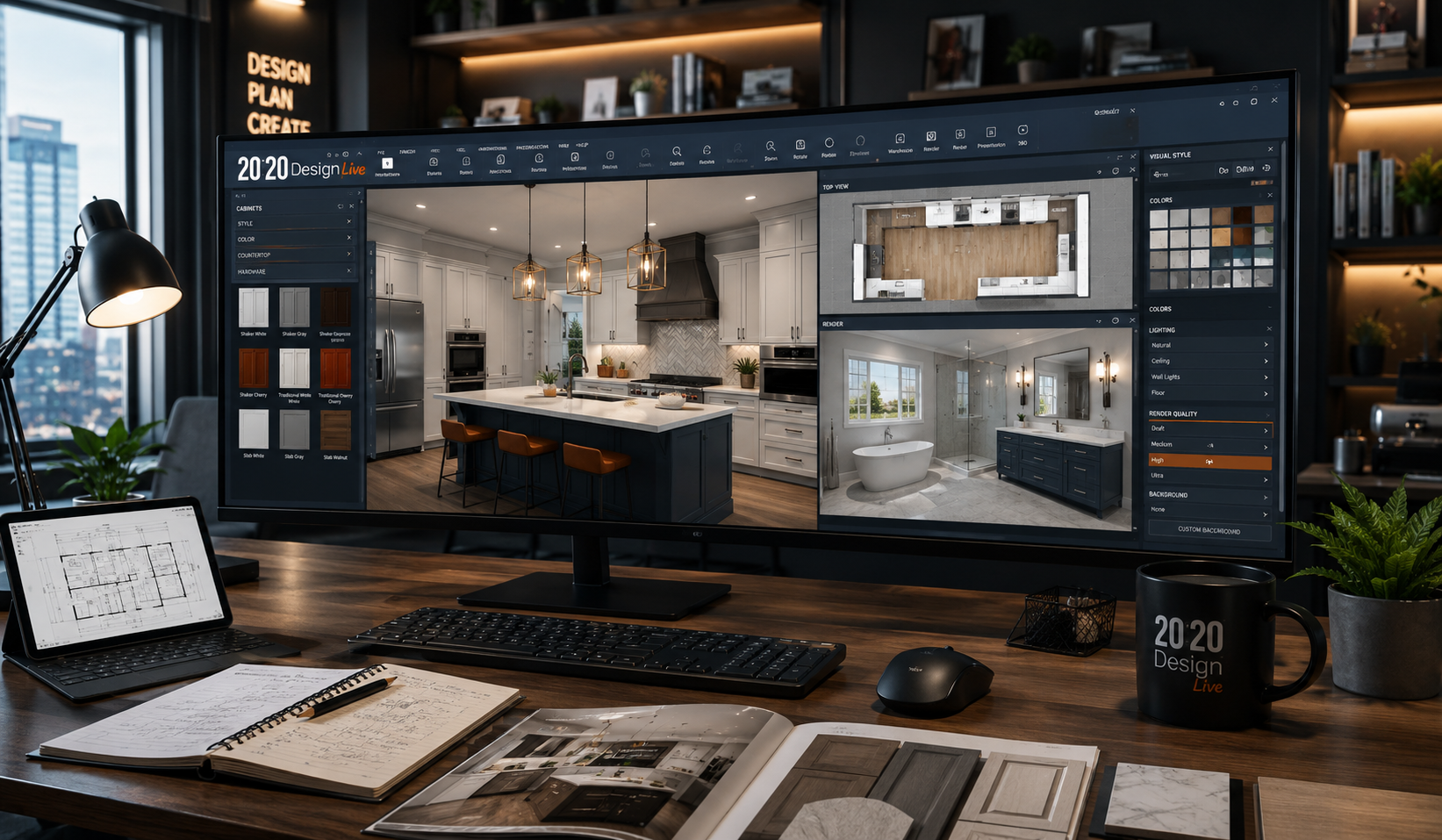
Designing kitchens, bathrooms, and interior spaces has become much easier with professional planning tools. One of the most popular solutions in this industry is 20 20 Design Software Live, widely used by interior designers, kitchen planners, cabinet retailers, and remodeling professionals.
This article explains everything you need to know about 20 20 design software, including pricing, features, training courses, benefits, and how much the software costs. Whether you are a beginner or an experienced designer, this guide will help you understand if this software is the right choice for your business.
What Is 20 20 Design Software?
2020 Design Live is a professional kitchen and bathroom design software used to create realistic 3D room layouts and interior designs. It helps users plan spaces, place cabinets, customize materials, and generate high-quality renderings.
The software is especially popular among:
- Kitchen designers
- Bathroom remodelers
- Interior design firms
- Cabinet retailers
- Home improvement companies
- Freelance designers
The platform combines design tools with product catalogs from major manufacturers, allowing designers to create accurate project plans.
Main Features of 20 20 Design Software
The software includes many advanced tools that simplify the design process.
1. 3D Kitchen and Bathroom Design
Users can quickly create:
- Kitchen layouts
- Bathroom plans
- Closet systems
- Office spaces
- Laundry rooms
The 3D visualization feature allows clients to see realistic project previews before construction begins.
2. Realistic Rendering
The software produces high-quality renderings with:
- Lighting effects
- Shadows
- Material textures
- Appliance finishes
- Cabinet styles
This helps clients better understand the final look of the space.
3. Manufacturer Catalog Integration
One of the biggest advantages is access to real manufacturer catalogs.
Designers can select:
- Cabinets
- Countertops
- Appliances
- Fixtures
- Flooring materials
This improves accuracy and saves time during project planning.
4. Drag-and-Drop Interface
The user-friendly interface allows beginners to design rooms without advanced technical skills.
Features include:
- Easy object placement
- Quick room editing
- Automatic measurements
- Real-time adjustments
5. Virtual Reality and Presentation Tools
Some versions support immersive presentations that allow clients to explore the design virtually.
This improves customer experience and helps close sales faster.
Benefits of Using 20 20 Design Software
Here are some major advantages of using the software.
Better Client Communication
Realistic designs help clients understand the project clearly.
Faster Design Workflow
Pre-built catalogs and templates reduce design time significantly.
Improved Accuracy
Automatic measurements reduce planning mistakes.
Professional Presentations
High-quality visuals improve business credibility.
Increased Sales Opportunities
Design presentations help clients make faster buying decisions.
Who Should Use 20 20 Design Software?
This software works best for professionals in the home design industry.
Recommended Users
| User Type | Why It Works Well |
|---|---|
| Kitchen Designers | Specialized cabinet planning tools |
| Interior Designers | 3D room visualization |
| Contractors | Accurate remodeling layouts |
| Cabinet Retailers | Manufacturer catalog access |
| Students | Learning professional design workflows |
| Freelancers | Client-ready presentations |
20 20 Design Software Cost
One of the most common questions people ask is about the 20 20 design software cost.
The pricing depends on:
- Subscription type
- Features included
- Number of users
- Business size
- Cloud services
- Rendering tools
Unlike basic design apps, this is professional-level software, so pricing is usually higher.
How Much Does 20 20 Design Software Cost?
Many users search for: how much does 20 20 design software cost.
The exact cost may change over time because the company offers customized plans. However, pricing generally falls into these categories:
| Plan Type | Estimated Cost Range |
|---|---|
| Monthly Subscription | Moderate to high monthly fee |
| Annual Plan | Lower overall yearly cost |
| Enterprise Solution | Custom pricing |
| Training Packages | Additional charges may apply |
Professional rendering tools and manufacturer catalogs can also affect pricing.
For the latest official pricing, users should check the software provider’s website directly.
20 20 Design Software Price Compared to Competitors
Here is a comparison between popular design platforms.
| Software | Best For | Difficulty Level | Rendering Quality | Pricing Level |
|---|---|---|---|---|
| 2020 Design Live | Kitchen & bath professionals | Medium | Excellent | Premium |
| SketchUp | General 3D modeling | Medium | Good | Moderate |
| AutoCAD | Technical drafting | Advanced | Moderate | Premium |
| Planner 5D | Beginners | Easy | Good | Affordable |
| Chief Architect | Home design | Medium | Excellent | Premium |
Is 20 20 Design Software Worth the Price?
For professionals, the answer is often yes.
The software can help businesses:
- Save time
- Improve customer presentations
- Reduce errors
- Increase project sales
- Create realistic designs faster
However, beginners or hobby users may find the software expensive compared to simpler alternatives.
20 20 Design Software Training Courses
Learning professional design software takes time. Thankfully, there are many 20 20 design software training courses available online and offline.
Training programs help users learn:
- Room planning
- Cabinet placement
- Rendering techniques
- Lighting adjustments
- Product catalog usage
- Client presentation methods
Types of Training Courses Available
1. Official Training Programs
The software company offers professional training resources for users.
These usually include:
- Video tutorials
- Live webinars
- Certification programs
- User guides
2. Online Learning Platforms
Many websites offer independent courses.
Popular learning platforms include:
- Udemy
- LinkedIn Learning
- YouTube tutorials
- Design schools
3. In-Person Workshops
Some design institutions and suppliers offer classroom training.
This option is useful for people who prefer hands-on learning.
Tips for Learning 20 20 Design Software Faster
If you are new to the platform, these tips can help.
Start With Basic Layouts
Practice simple kitchen or bathroom designs first.
Learn Keyboard Shortcuts
Shortcuts improve workflow speed significantly.
Use Manufacturer Catalogs
Experiment with real products to understand industry standards.
Watch Tutorial Videos
Video demonstrations make advanced features easier to understand.
Practice Rendering Daily
Rendering quality improves with regular practice.
System Requirements for 20 20 Design Software
Professional design software requires a powerful computer.
Recommended Specifications
| Component | Recommended Setup |
|---|---|
| Processor | Intel i7 or equivalent |
| RAM | 16GB or higher |
| Graphics Card | Dedicated GPU |
| Storage | SSD recommended |
| Internet | Stable broadband connection |
| Operating System | Modern Windows version |
Using weak hardware may slow down rendering performance.
Common Challenges Users Face
Even though the software is powerful, some users experience difficulties.
Learning Curve
Beginners may initially feel overwhelmed.
High Hardware Requirements
Older computers may struggle with rendering tasks.
Subscription Cost
Small businesses may find pricing expensive.
Complex Advanced Features
Professional tools can take time to master.
Best Alternatives to 20 20 Design Software
If you want to compare options, here are some alternatives.
SketchUp
Great for flexible 3D modeling.
Chief Architect
Popular among home designers and remodelers.
Planner 5D
Best for beginners and casual users.
AutoCAD
Ideal for technical drafting professionals.
Homestyler
Useful for quick interior design concepts.
How to Choose the Right Design Software
Before buying any software, consider the following.
Your Experience Level
Beginners may prefer simpler tools.
Budget
Professional software often requires higher investment.
Business Needs
Kitchen-focused businesses benefit most from 2020 Design Live.
Rendering Quality
High-end visuals may require premium software.
Customer Presentation Needs
Interactive presentations improve client communication.
Future of Interior Design Software
Interior design software continues evolving rapidly.
Modern platforms now include:
- AI-powered design suggestions
- Cloud collaboration
- Virtual reality walkthroughs
- Real-time rendering
- Smart home integration
Professional tools like 2020 Design Live continue adapting to these industry trends.
Frequently Asked Questions (FAQs)
What is 20 20 design software mainly used for?
It is primarily used for kitchen and bathroom design, space planning, and realistic 3D rendering.
How much does 20 20 design software cost?
The cost depends on the subscription plan, features, and business requirements. Pricing is generally considered premium compared to beginner tools.
Are there training courses available for beginners?
Yes. Many online platforms, official programs, webinars, and workshops provide beginner-friendly training courses.
Is 20 20 design software difficult to learn?
The basics are relatively easy, but advanced professional features may take time to master.
Can freelancers use 20 20 design software?
Yes. Freelance interior designers and kitchen planners often use it for client presentations and project planning.
Conclusion
2020 Design Live remains one of the most trusted solutions for professional kitchen and bathroom design. Its realistic rendering tools, manufacturer catalogs, and advanced planning features make it a powerful choice for designers and remodeling businesses.
Although the 20 20 design software price may seem expensive for beginners, professionals often find the investment worthwhile because it improves workflow, client presentations, and project accuracy.
If you are serious about interior design or kitchen planning, learning this software through professional 20 20 design software training courses can help you build valuable industry skills and grow your business successfully.