
Introduction
Whether you’re starting a new company, researching a potential business partner, or checking the availability of a business name, the Michigan business entity search tool is one of the most valuable resources available.
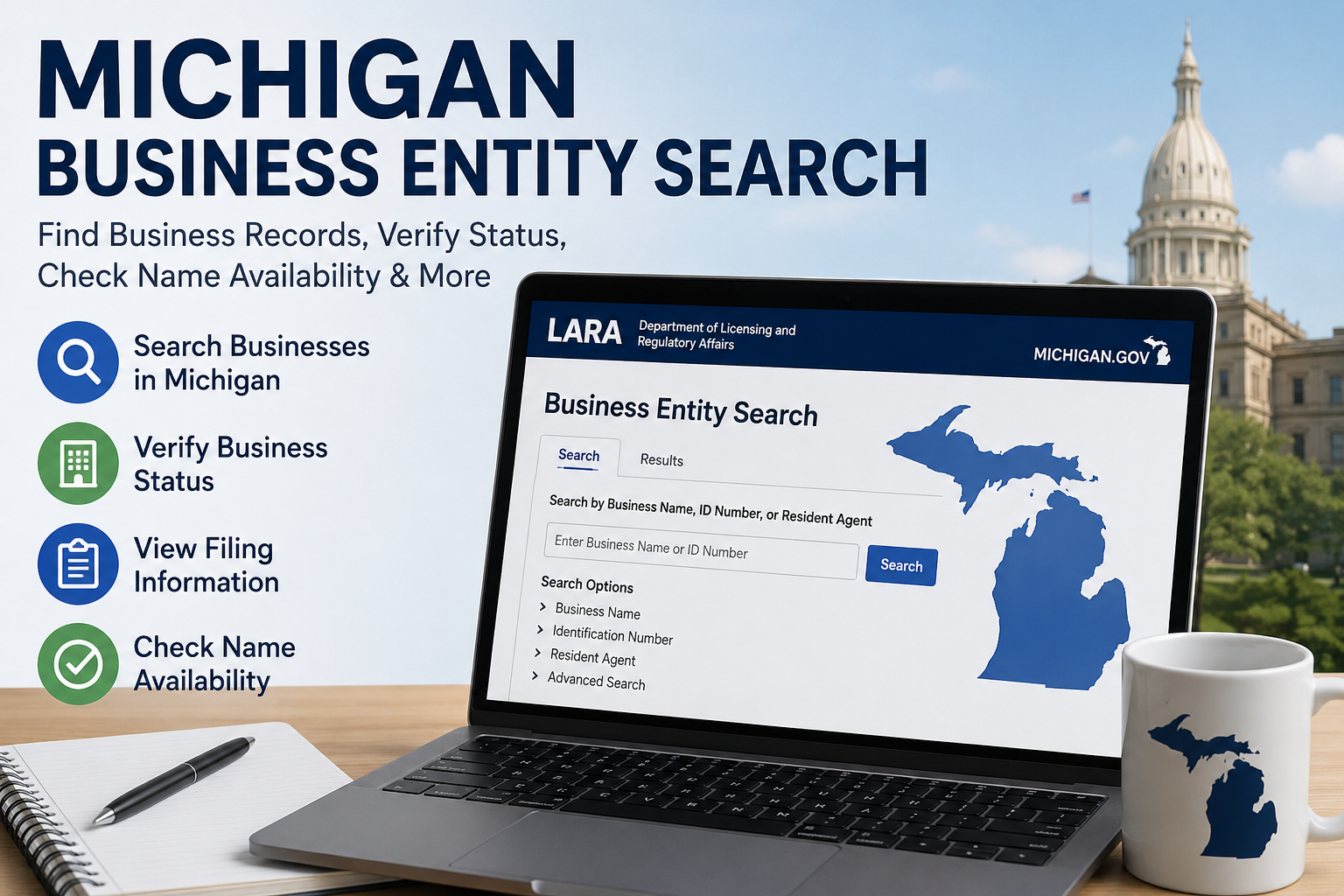
The State of Michigan provides a public online database that allows users to search registered businesses quickly and easily. Through this system, you can verify company information, check business status, review filing records, and ensure that a business name is available before registration.
This guide explains everything you need to know about searching business entities in Michigan, including how the process works, step-by-step instructions, benefits, common uses, and frequently asked questions.
What Is a Michigan Business Entity Search?
A Michigan business entity search is an online lookup tool provided by the Michigan Department of Licensing and Regulatory Affairs (LARA). It allows individuals and organizations to access publicly available information about businesses registered within the state.
The database includes information on various business structures such as:
- Limited Liability Companies (LLCs)
- Corporations
- Nonprofit Organizations
- Limited Partnerships
- Professional Corporations
- Foreign Entities Registered in Michigan
The search tool helps users verify whether a company legally exists and is currently active within the state.
Why Use a Business Entity Search?
There are several reasons why business owners, entrepreneurs, investors, and consumers use the Michigan business database.
Common Uses
- Checking if a business name is available
- Verifying a company’s legal status
- Researching competitors
- Confirming business registration details
- Finding filing information
- Conducting due diligence before partnerships
- Verifying legitimacy of a business
Using the database can help reduce risk and provide valuable information before making business decisions.
Information Available Through the Search Tool
When you locate a business record, you can typically access important details about the entity.
| Information Available | Description |
|---|---|
| Business Name | Official registered name |
| Entity Type | LLC, Corporation, Nonprofit, etc. |
| Identification Number | State-issued entity number |
| Status | Active, Dissolved, Expired, etc. |
| Filing Date | Date of registration |
| Registered Office | Official business address |
| Annual Reports | Filing history and compliance records |
| Resident Agent Information | Designated contact person or company |
The exact information displayed may vary depending on the business structure and filing history.
How to Perform a Michigan Business Entity Search
Searching for a business in Michigan is straightforward. Follow these simple steps.
Step 1: Visit the Official Business Search Portal
Go to the Michigan Department of Licensing and Regulatory Affairs (LARA) business search system.
The database is publicly accessible and does not require creating an account for basic searches.
Step 2: Enter Search Criteria
You can search using:
- Business name
- Entity identification number
- Resident agent name
- Keyword from the business name
Searching by the exact business name often produces the most accurate results.
Step 3: Review Search Results
After entering your search term, the system will display matching businesses.
You may see:
- Business names
- Entity numbers
- Current status
- Entity type
Review the list carefully and select the appropriate business.
Step 4: Open the Business Record
Click on the entity name to access detailed information.
You can then view:
- Registration details
- Filing history
- Business status
- Agent information
- Formation date
Step 5: Verify the Information
Always confirm that the information matches the company you are researching.
Pay special attention to:
- Entity status
- Formation date
- Registered address
- Business type
Understanding Business Status Labels
One of the most important pieces of information you’ll find is the business status.
Active
The business is currently registered and in good standing.
Dissolved
The business has officially ended operations or terminated its registration.
Expired
Required filings were not submitted, causing registration to lapse.
Withdrawn
A foreign entity has voluntarily ended its authorization to operate in Michigan.
Revoked
The state has revoked the entity’s authority to operate due to compliance issues.
How to Check Business Name Availability
Entrepreneurs frequently use the search system to determine whether a desired business name is already in use.
Name Availability Process
- Search the desired business name.
- Review existing results.
- Look for similar names that may cause conflicts.
- Verify state naming requirements.
- Reserve or register the name if available.
Keep in mind that a name may appear available but still be restricted due to trademark protections.
Michigan LLC Search vs. Corporation Search
The business database includes multiple entity types.
| Feature | LLC | Corporation |
|---|---|---|
| Ownership | Members | Shareholders |
| Management | Flexible | Structured Board |
| Tax Flexibility | High | Moderate |
| Formal Requirements | Fewer | More Extensive |
| Common Use | Small Businesses | Larger Companies |
The search process is generally the same regardless of entity type.
Benefits of Using the Michigan Business Database
The search system offers numerous advantages.
For Entrepreneurs
- Verify name availability
- Research competitors
- Check industry presence
For Consumers
- Confirm legitimacy of businesses
- Verify registration status
- Reduce fraud risk
For Investors
- Perform due diligence
- Review business history
- Verify legal standing
For Vendors and Partners
- Validate company information
- Confirm operational status
- Assess reliability
Tips for More Accurate Search Results
Finding the correct business is easier when using effective search strategies.
Use Partial Names
If unsure of the exact name, search only part of the business name.
Example:
Instead of:
“Michigan Great Lakes Consulting Services LLC”
Try:
Avoid Special Characters
The database may return broader results when punctuation is removed.
Check Alternate Spellings
Businesses may use abbreviations or variations.
Search by Entity Number
If available, the entity number provides the most precise results.
Common Mistakes to Avoid
Many users encounter issues because of simple mistakes.
Searching With Exact Formatting
Business names may appear differently than expected.
Ignoring Similar Names
A desired name may be unavailable if a similar registered name already exists.
Overlooking Business Status
Always verify whether a company is active or inactive.
Assuming Registration Equals Reputation
A registered business is not automatically trustworthy. Additional research is recommended.
When Should You Conduct a Business Search?
There are several situations where performing a search is highly recommended.
Before Starting a Business
Confirm your desired name is available.
Before Signing Contracts
Verify the legal status of the company involved.
Before Investments
Ensure the business exists and remains active.
Before Hiring Vendors
Validate registration information and compliance status.
During Competitive Research
Analyze existing businesses within your market.
Additional Research Beyond the Entity Search
While the Michigan database is useful, it should not be your only research source.
Consider reviewing:
- Company websites
- Customer reviews
- Better Business Bureau records
- Industry licensing databases
- Professional certifications
- Court records when appropriate
Combining multiple sources creates a more complete picture of a business.
Frequently Asked Questions
Is the Michigan business entity search free?
Yes. Basic business searches are generally available to the public at no cost.
Can I search for LLCs in Michigan?
Yes. The database includes LLCs, corporations, nonprofits, and other registered entities.
How do I know if a business is active?
Check the entity status section within the business record. It will indicate whether the company is active or inactive.
Can I reserve a business name in Michigan?
Yes. If a name is available, you may be able to reserve it through the appropriate state filing process.
What information do I need to search?
You can search using a business name, keyword, entity identification number, or resident agent information.
Does the search show business owners?
Ownership information is not always publicly displayed. Available details depend on the entity type and state disclosure requirements.
Can I search for dissolved businesses?
Yes. Historical records often remain available even after a business has dissolved.
Is a registered business automatically trustworthy?
No. Registration only confirms legal filing status. Additional due diligence is recommended.
Conclusion
The Michigan business entity search tool is an essential resource for entrepreneurs, consumers, investors, and business professionals. It provides quick access to valuable information about registered companies throughout the state, helping users verify legitimacy, research competitors, check business status, and confirm name availability.
Whether you’re forming a new LLC, evaluating a potential business partner, or conducting due diligence, understanding how to use Michigan’s business search database can save time and help you make informed decisions. By following the steps outlined in this guide and reviewing business records carefully, you can confidently navigate the Michigan business landscape and access the information you need.