
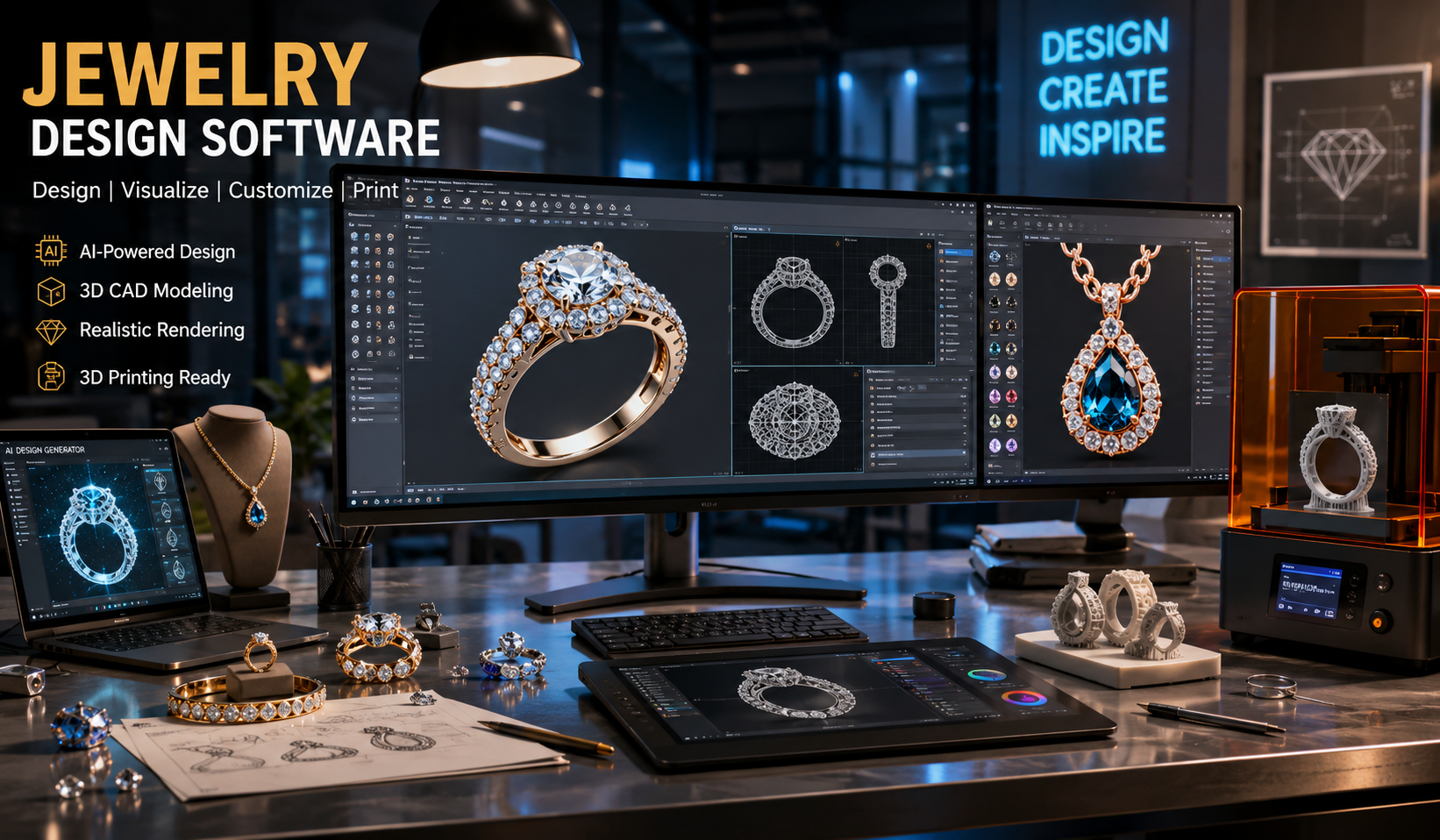
Jewelry creation has changed dramatically with the rise of digital technology. Today, designers no longer rely only on hand sketches and wax carving. Modern jewelry design software allows creators to build realistic 3D models, test gemstone settings, prepare files for 3D printing, and even use artificial intelligence to generate new ideas.
Whether you are a beginner, professional jeweler, or small business owner, choosing the right software can improve your workflow and save time. In this guide, you will learn about the best tools, features, pricing, beginner-friendly options, and how AI is transforming jewelry design.
What Is Jewelry Design Software?
Jewelry design software is a digital tool used to create rings, necklaces, earrings, bracelets, and other jewelry items in 2D or 3D form.
These programs help designers:
- Create accurate jewelry models
- Add gemstones and metal details
- Generate realistic renders
- Prepare designs for manufacturing
- Produce files for 3D printing
- Modify designs quickly
Most modern tools use CAD (Computer-Aided Design) technology, which gives precise measurements and professional-level accuracy.
Why Jewelry Designers Use Digital Software
Traditional jewelry making is still important, but digital software offers several advantages.
Main Benefits
Faster Design Process
Designers can create and edit models quickly without starting over.
Better Accuracy
CAD systems ensure exact dimensions for stones, prongs, and ring sizes.
Realistic Visualization
High-quality rendering helps clients see the final jewelry before production.
Easy Customization
Names, shapes, gemstones, and engravings can be changed instantly.
Supports 3D Printing
Many programs export STL files for resin printers and casting.
Types of Jewelry Design Software
Different software solutions serve different purposes.
| Software Type | Main Purpose |
|---|---|
| CAD Jewelry Software | Precise modeling and manufacturing |
| 3D Jewelry Design Software | Building realistic 3D jewelry models |
| AI Jewelry Design Software | Generating concepts and automating ideas |
| Rendering Software | Creating photorealistic images |
| 3D Printing Jewelry Software | Preparing printable jewelry files |
| Beginner Software | Easy learning and simple tools |
Best Jewelry Design Software in 2026
Here are some of the most popular and trusted jewelry design platforms.
1. RhinoGold
RhinoGold is widely used in the jewelry industry because of its specialized tools.
Features
- Advanced gemstone settings
- Ring builders
- Parametric design tools
- Professional rendering support
Best For
Professional jewelers and manufacturers.
Pros
- Industry-standard features
- Excellent precision
- Strong customization
Cons
- Expensive for beginners
- Requires training
2. MatrixGold
MatrixGold combines Rhino technology with jewelry-focused tools.
Features
- Parametric history
- Stone libraries
- Dynamic resizing
- Advanced CAD tools
Best For
Custom jewelry businesses and experienced designers.
3. Blender
Blender is a free open-source 3D design tool.
Features
- Powerful modeling tools
- Realistic rendering
- Animation support
- Community plugins
Best For
Designers looking for free jewelry design software.
Pros
- Completely free
- Huge online community
- Excellent rendering
Cons
- Steep learning curve
4. ZBrush
ZBrush is ideal for artistic and sculpted jewelry styles.
Features
- Digital sculpting
- Organic modeling
- Detailed textures
- Creative artistic control
Best For
Luxury and artistic jewelry creators.
5. JewelCAD
JewelCAD is one of the oldest dedicated jewelry CAD solutions.
Features
- Jewelry-specific workflow
- Fast modeling
- Stone setting tools
- Lightweight system requirements
Best For
Traditional jewelry manufacturers.
6. Tinkercad
Tinkercad is beginner-friendly and web-based.
Features
- Simple drag-and-drop tools
- Browser-based access
- Easy learning process
Best For
Students and beginners learning 3D jewelry design.
AI Jewelry Design Software
Artificial intelligence is now becoming a major trend in the jewelry industry.
AI jewelry design software can:
- Generate creative design concepts
- Suggest gemstone combinations
- Automate repetitive tasks
- Create custom variations quickly
- Predict market trends
How AI Helps Jewelry Designers
Faster Idea Generation
AI tools can produce multiple ring or necklace concepts within seconds.
Smart Customization
Customers can personalize jewelry designs using AI-assisted tools.
Trend Analysis
AI analyzes customer preferences and fashion trends.
Reduced Design Time
Automated workflows improve efficiency.
Popular AI Jewelry Design Tools
| Software | AI Features |
|---|---|
| Adobe Firefly | AI-generated concept art |
| Midjourney | Jewelry inspiration images |
| Blender AI Plugins | Automated modeling support |
| MatrixGold | Parametric automation |
| Rhino AI Extensions | Smart modeling assistance |
AI tools work best when combined with professional CAD software.
3D Jewelry Design Software
3D design software helps create highly detailed digital jewelry models.
Common Features
- Stone placement
- Ring resizing
- Surface detailing
- Realistic metal textures
- Gemstone libraries
Why 3D Modeling Matters
3D models allow designers to:
- Preview designs from every angle
- Share concepts with clients
- Reduce production mistakes
- Create accurate molds
CAD Jewelry Design Software
CAD software is essential for professional jewelry manufacturing.
Important CAD Features
Precision Measurements
Accurate sizing is critical in jewelry production.
Stone Setting Tools
CAD systems help position gemstones correctly.
Manufacturing Compatibility
Designs can move directly into casting and production.
Technical Drawings
Programs generate production-ready blueprints.
Best CAD Jewelry Design Software Comparison
| Software | Skill Level | Pricing | Best Use |
|---|---|---|---|
| MatrixGold | Advanced | Premium | Professional jewelry |
| RhinoGold | Advanced | Premium | Custom manufacturing |
| Blender | Intermediate | Free | Creative modeling |
| Tinkercad | Beginner | Free | Learning basics |
| JewelCAD | Intermediate | Paid | Traditional production |
Jewelry Design Software for Beginners
Beginners should focus on software that is easy to learn and affordable.
Recommended Beginner Tools
Tinkercad
Simple interface and web-based learning.
Blender
Free with endless tutorials online.
SketchUp
Good for learning basic 3D modeling.
SelfCAD
Beginner-friendly controls with online access.
Tips for Beginners
Start With Basic Shapes
Learn simple rings and pendants before advanced models.
Practice Daily
Consistency improves modeling speed and creativity.
Watch Tutorials
Video lessons help understand tools quickly.
Learn Jewelry Measurements
Understanding sizing and proportions is essential.
Explore Rendering
Presentation quality matters when selling jewelry.
Jewelry Design Software Free Options
Many people search for free solutions before investing in premium software.
Best Free Jewelry Design Software
| Software | Free Version | Main Benefit |
|---|---|---|
| Blender | Yes | Professional-level tools |
| Tinkercad | Yes | Beginner-friendly |
| SketchUp Free | Yes | Simple modeling |
| FreeCAD | Yes | Open-source CAD |
| SelfCAD Trial | Limited | Easy interface |
3D Printing Jewelry Design Software
3D printing has transformed jewelry manufacturing.
Designers can now:
- Print wax models
- Create resin prototypes
- Test designs before casting
- Produce custom jewelry faster
Important Features for 3D Printing
STL Export
Essential for most 3D printers.
Watertight Meshes
Prevents printing errors.
Accurate Dimensions
Ensures correct fitting.
Support Structure Design
Improves print success rates.
Best Software for 3D Printed Jewelry
RhinoGold
Excellent for professional casting workflows.
MatrixGold
Advanced manufacturing compatibility.
Blender
Great for artistic 3D printable jewelry.
Meshmixer
Useful for repairing print files.
How to Choose the Right Jewelry Design Software
Choosing software depends on your goals and experience level.
Consider Your Budget
Free Options
Best for learning and experimentation.
Paid Software
Better for professional production and business use.
Think About Your Skill Level
| Skill Level | Recommended Software |
|---|---|
| Beginner | Tinkercad, SketchUp |
| Intermediate | Blender, JewelCAD |
| Professional | MatrixGold, RhinoGold |
Check Hardware Requirements
Some advanced CAD systems require:
- Strong graphics cards
- Large RAM capacity
- Fast processors
Consider Learning Resources
Choose software with:
- Video tutorials
- Active communities
- Online courses
- Documentation
Steps to Create Jewelry Using CAD Software
Step 1: Sketch the Idea
Start with a rough concept or drawing.
Step 2: Build the 3D Model
Use CAD tools to shape the jewelry.
Step 3: Add Gemstones
Place diamonds or colored stones accurately.
Step 4: Apply Materials
Choose metal textures like gold, silver, or platinum.
Step 5: Render the Design
Create realistic images for presentations.
Step 6: Export for Manufacturing
Generate STL or production files.
Common Challenges in Jewelry Design Software
Learning Curve
Professional software can take time to master.
High Costs
Premium CAD systems may be expensive.
Hardware Limitations
Complex rendering requires powerful computers.
File Compatibility
Different manufacturers may require different formats.
Future Trends in Jewelry Design Software
The jewelry industry continues to evolve with technology.
AI-Powered Customization
Customers will generate personalized jewelry instantly.
Cloud-Based Design
Designers will collaborate online in real time.
Virtual Reality Jewelry Design
VR tools may allow immersive 3D designing.
Faster 3D Printing
New printers will reduce manufacturing time.
Sustainable Production
Digital workflows reduce material waste.
FAQs About Jewelry Design Software
What is the best jewelry design software for beginners?
Tinkercad and Blender are excellent beginner options. Tinkercad is simpler, while Blender offers more advanced capabilities for free.
Is there free jewelry design software available?
Yes. Blender, FreeCAD, and Tinkercad are popular free choices for jewelry modeling and 3D design.
Which software is used by professional jewelers?
Professional jewelers commonly use MatrixGold, RhinoGold, and JewelCAD because of their advanced CAD tools.
Can I use AI for jewelry design?
Yes. AI tools help generate design concepts, automate tasks, and create creative jewelry variations.
What file format is used for 3D printed jewelry?
STL is the most common format for 3D printing jewelry models.
Do I need a powerful computer for jewelry CAD software?
Advanced rendering and modeling programs often require strong hardware, especially for complex projects.
Conclusion
Modern jewelry design software has completely transformed how jewelry is created, customized, and manufactured. From beginner-friendly tools like Tinkercad to professional CAD systems such as MatrixGold and RhinoGold, there are options for every skill level and budget.
AI technology is also shaping the future of jewelry creation by speeding up concept development and improving customization. Meanwhile, 3D printing continues to make production faster and more efficient.
If you are just starting, focus on learning basic 3D modeling and gradually move toward advanced CAD tools. With practice and the right software, you can turn creative ideas into stunning professional jewelry designs.