
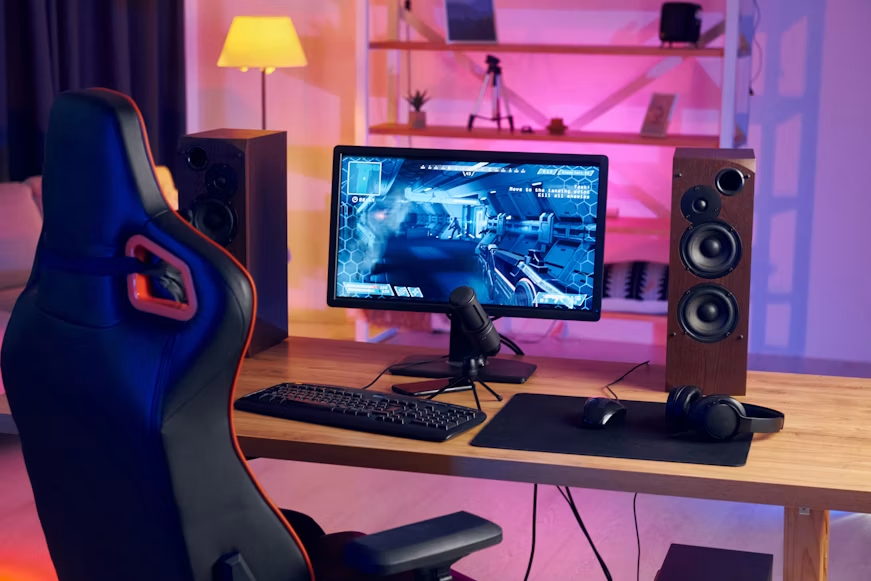
Best Gaming Gadgets for PC Gamers, If you spend hours in front of your PC battling it out in your favorite games, you already know that the right gear can make or break your experience. A good gadget doesn’t just look cool — it can improve your reaction time, reduce fatigue, and make every gaming session more enjoyable.
In this guide, we’ll walk through the best gaming gadgets for PC gamers, broken down by category, so you can decide exactly what to add to your setup. Whether you’re a casual player or a competitive gamer chasing every millisecond of advantage, there’s something here for you.
Why Gaming Gadgets Actually Matter
Many beginners assume gadgets are just for show. In reality, the right tools can directly affect how well you play and how comfortable you feel during long sessions.
Here’s what good gear can do for you:
- Improve accuracy and speed — A responsive mouse or keyboard reduces input lag.
- Reduce physical strain — Ergonomic gadgets prevent wrist, neck, and back pain during long sessions.
- Enhance immersion — Better audio and visuals pull you deeper into the game.
- Boost communication — Clear microphones and headsets matter a lot in team-based games.
- Support content creation — If you stream or record gameplay, certain gadgets become essential.
With that in mind, let’s look at the gadgets that genuinely make a difference.
1. Gaming Mouse: Precision in Your Hands
Your mouse is probably the single most important gadget for FPS, MOBA, and strategy games. A gaming mouse usually offers higher sensitivity, programmable buttons, and a more comfortable grip than a regular office mouse.
What to look for:
- DPI range — Higher DPI means finer cursor control (1600–3200 DPI is enough for most players).
- Polling rate — A higher polling rate (500Hz–8000Hz) means the mouse reports its position to your PC more often.
- Weight and shape — Lightweight mice suit fast-paced shooters; heavier ones suit precision tasks.
- Wired vs wireless — Modern wireless mice have very low latency, so this is now mostly a personal preference.
Good for:
- Competitive shooters (CS-style games)
- MMO and MOBA titles with many keybinds
- General productivity and gaming combo use
2. Mechanical Keyboard: Faster and More Satisfying
A mechanical keyboard uses individual mechanical switches under each key, giving better feedback and durability compared to standard membrane keyboards.
Switch types explained simply:
- Linear switches — Smooth keypress, no bump, quiet-ish. Great for fast gaming.
- Tactile switches — You feel a small bump when the key registers. Good balance of gaming and typing.
- Clicky switches — Tactile bump plus an audible click. Satisfying but louder.
Features worth considering:
- Programmable macro keys
- Per-key RGB lighting
- Detachable cables for easy travel
- N-key rollover (so multiple keys register at once without issues)
3. Gaming Headset: Hear Every Footstep
Sound can be just as important as visuals in many games. A good gaming headset lets you hear directional cues like footsteps or gunfire, which can be the difference between winning and losing a round.
Key features to check:
- Surround sound support — Helps you pinpoint where sounds are coming from.
- Microphone quality — Important for team communication.
- Comfort and padding — You’ll likely wear it for hours, so breathable ear cushions matter.
- Wired vs wireless — Wired headsets usually have less latency; wireless offers more freedom of movement.
4. Gaming Monitor: See More, React Faster
Your monitor affects both visual quality and reaction speed. A higher refresh rate monitor shows more frames per second, which can give competitive players a real edge.
Important specs:
- Refresh rate — 144Hz or higher is ideal for fast-paced games.
- Response time — Lower is better (1ms–5ms range) to avoid motion blur.
- Resolution — 1080p for high frame rates, 1440p or 4K for visual quality.
- Panel type — IPS panels offer better colors; TN panels often have faster response times.
5. Mouse Pad and Desk Mat: Small Gadget, Big Difference
It might seem minor, but a quality mouse pad improves mouse tracking accuracy and adds comfort to your desk setup.
- Hard pads — Better for low-friction, fast swipes.
- Cloth pads — Smoother control, often more comfortable for the wrist.
- Extended desk mats — Cover your whole desk, useful if you also use a mechanical keyboard.
6. Webcam: Essential for Streamers and Video Calls
If you stream your gameplay or just want better video quality during calls with friends, a dedicated webcam beats most built-in laptop cameras.
Look for:
- 1080p or 4K resolution
- Good low-light performance
- Adjustable field of view
- Built-in or compatible ring light for better lighting
7. Capture Card: For Recording and Streaming
A capture card lets you record or stream gameplay smoothly, especially useful if you also play on a console alongside your PC setup or want to offload recording tasks from your main system.
Benefits:
- Reduces strain on your PC’s CPU/GPU while recording
- Improves stream and recording quality
- Often supports HDR and high frame rate capture
8. Gaming Chair: Comfort for Long Sessions
You might not think of a chair as a “gadget,” but ergonomic gaming chairs are designed specifically to support long gaming sessions.
What makes a good gaming chair:
- Adjustable lumbar and neck support
- Reclining backrest
- Breathable material (mesh or quality leatherette)
- Adjustable armrests and height
9. RGB Lighting and Ambient Gadgets
While not essential for performance, RGB lighting strips and smart lighting setups can enhance your gaming atmosphere and even sync with on-screen action in some games.
- LED light strips — Placed behind your monitor or desk for ambient glow.
- Smart bulbs — Can change color based on game events in supported titles.
- RGB mouse pads and controllers — Add a cohesive look to your setup.
10. Cooling Gadgets: Keep Your System and Yourself Cool
Long gaming sessions generate heat — both from your PC and from intense gameplay sessions on your hands.
- Laptop cooling pads — Useful if you game on a laptop.
- CPU and GPU coolers — Keep your system running smoothly during demanding games.
- Wrist cooling gel pads — Help reduce hand fatigue during marathon sessions.
11. Controller / Gamepad for PC
Not every PC game is best played with a mouse and keyboard. Racing games, platformers, and many indie titles feel more natural with a controller.
Things to check:
- Compatibility with PC (most modern controllers work via USB or Bluetooth)
- Battery life for wireless models
- Customizable button mapping
- Adjustable trigger sensitivity (useful for shooters and racing games)
Comparison Table: Gaming Gadgets by Purpose
| Gadget | Best For | Key Benefit |
|---|---|---|
| Gaming Mouse | FPS, MOBA, strategy games | Precision and speed |
| Mechanical Keyboard | All-round gaming and typing | Faster, satisfying keypresses |
| Gaming Headset | Team-based and competitive games | Directional audio cues |
| Gaming Monitor | Fast-paced and visual-heavy games | Smooth motion, sharp visuals |
| Mouse Pad/Desk Mat | All gaming setups | Better tracking and comfort |
| Webcam | Streaming and video calls | Clear video quality |
| Capture Card | Streaming and recording | Smooth, high-quality capture |
| Gaming Chair | Long gaming sessions | Posture and comfort support |
| RGB Lighting | Aesthetic setups | Atmosphere and immersion |
| Cooling Gadgets | Hot climates or long sessions | Prevents overheating and fatigue |
| Controller | Racing, platformers, indie games | Natural control for certain genres |
Budget vs Premium: What Changes?
| Category | Budget Option Gives You | Premium Option Adds |
|---|---|---|
| Mouse | Decent DPI, basic shape | Adjustable weights, higher polling rate, premium sensors |
| Keyboard | Standard mechanical switches | Hot-swappable switches, premium keycaps, better build quality |
| Headset | Clear stereo sound | Virtual surround sound, premium drivers, better mic |
| Monitor | 144Hz refresh rate | 240Hz+ refresh rate, better color accuracy, HDR support |
| Chair | Basic ergonomic support | Memory foam padding, premium materials, advanced adjustability |
This table should help you understand where it’s worth spending more and where a budget option does the job just fine.
How to Choose the Right Gadgets for Your Setup
Before buying anything, ask yourself these simple questions:
- What games do you mostly play?
- Competitive shooters need a fast mouse and high-refresh monitor.
- Story-driven or strategy games benefit more from a comfortable chair and good monitor colors.
- How long are your sessions?
- If you play for hours daily, prioritize comfort gadgets like a chair, wrist support, and a quality headset.
- Do you stream or create content?
- If yes, a webcam, microphone, and capture card should be high on your list.
- What’s your budget?
- Start with the gadget that affects your gameplay the most — usually the mouse or monitor — and upgrade gradually.
- Do you already have decent gear?
- Don’t replace everything at once. Upgrade the weakest link in your current setup first.
Simple Steps to Build Your Ideal Gaming Setup
- Step 1: Identify your main game genre and its specific needs.
- Step 2: List your current gadgets and note which ones feel outdated or uncomfortable.
- Step 3: Set a budget range for your next purchase.
- Step 4: Research 2–3 options in your budget using reviews and comparison videos.
- Step 5: Buy one gadget at a time and test it for a week before buying the next.
- Step 6: Adjust settings (DPI, refresh rate, EQ settings) to match your personal comfort and play style.
This step-by-step approach prevents overspending and helps you understand which gadgets actually improve your performance.
Maintenance Tips for Your Gaming Gadgets
- Clean your mouse and keyboard regularly to prevent dust buildup under keys and sensors.
- Store cables properly to avoid fraying, especially for wired peripherals.
- Update your mouse, keyboard, and headset firmware/drivers when available.
- Keep your monitor away from direct sunlight to maintain color accuracy over time.
- Charge wireless gadgets fully before long sessions to avoid mid-game disconnections.
Frequently Asked Questions (FAQs)
Q1: Do I need expensive gadgets to play games well?
Not necessarily. Skill matters more than gear in most cases. However, the right gadgets can reduce strain and give you small but real advantages, especially in competitive games.
Q2: Which gadget should I upgrade first on a tight budget?
Start with your mouse or monitor, since these directly affect how accurately and smoothly you play.
Q3: Is a mechanical keyboard really better than a regular keyboard for gaming?
Mechanical keyboards generally offer faster response times and better durability, but the difference may feel small for casual players. Competitive gamers often notice more benefit.
Q4: Do I need a high refresh rate monitor if I don’t play competitive games?
A high refresh rate still makes movement look smoother, but if you mostly play slower-paced or story-driven games, a standard 60Hz–75Hz monitor may be enough.
Q5: Is wireless equipment good enough for competitive gaming?
Yes, most modern wireless mice and keyboards designed for gaming have very low latency, often close to wired performance.
Q6: How important is a gaming chair compared to other gadgets?
If you game for long hours regularly, a good chair can be just as important as your mouse or monitor, since it directly affects your posture and comfort over time.
Q7: Can I use console controllers on PC?
Most modern console controllers, including popular wireless models, work on PC through USB or Bluetooth, often with full button mapping support.
Conclusion
Building the right gaming setup doesn’t mean buying every gadget on the market. It means understanding your own gaming habits and investing in the gear that will genuinely improve your comfort and performance.
Start with the basics — a reliable mouse, a comfortable keyboard, and decent audio — then expand into monitors, chairs, and streaming gadgets as your needs grow. The best gaming gadgets for PC gamers are the ones that match your play style, your budget, and the amount of time you spend gaming.
Take it one gadget at a time, test what works for you, and you’ll end up with a setup that feels personal, comfortable, and ready for every gaming session ahead.